
Trying to choose between Fusebase and Notion for boosting your productivity? You’re not alone.
Both promise to help you organize your work and ideas, but which one truly fits your style and needs? Maybe you want something simple yet powerful, or perhaps you crave advanced features without the overwhelm. This comparison will cut through the noise and show you the strengths and weaknesses of each tool, so you can pick the one that makes your daily workflow smoother and more efficient.
Keep reading to discover which platform could become your ultimate productivity partner.
Introduction To Fusebase And Notion
Fusebase and Notion are popular tools designed to boost productivity. Both help users organize work and ideas but serve slightly different purposes. Understanding their core functions helps choose the right tool for your needs.
Overview Of Fusebase: Purpose And Core Functionality
Fusebase focuses on creating a streamlined workspace to manage projects and data efficiently. It combines database features with easy-to-use interfaces, ideal for users who want to organize information clearly.
- Offers database-driven project management
- Supports automation to reduce manual tasks
- Designed for quick data visualization and organization
- Helps track progress and team collaboration
Fusebase suits users who prefer a data-centered, automated workflow to handle projects and tasks.
Overview Of Notion: Purpose And Core Functionality
Notion is a versatile all-in-one workspace. It combines notes, databases, tasks, and wikis in one place. It appeals to users who want flexible tools for personal and team productivity.
- Flexible note-taking and document creation
- Customizable databases and task boards
- Supports team collaboration and knowledge sharing
- Integrates pages and content with drag-and-drop ease
Notion fits those who need a simple, adaptable platform for many types of work and information.
Why Compare Fusebase And Notion For Productivity?
Comparing Fusebase and Notion helps identify which tool fits specific productivity needs better. Both offer database and project features but differ in focus and complexity.
| Feature | Fusebase | Notion |
|---|---|---|
| Primary Strength | Data-driven project management | Flexible workspace and note-taking |
| Automation | Built-in automation features | Limited automation options |
| Ease of Use | Simple interface focused on data | Highly customizable, steeper learning curve |
| Best For | Users needing structured workflows | Users wanting versatile content creation |
Understanding these differences guides choosing the right productivity tool for your work style.
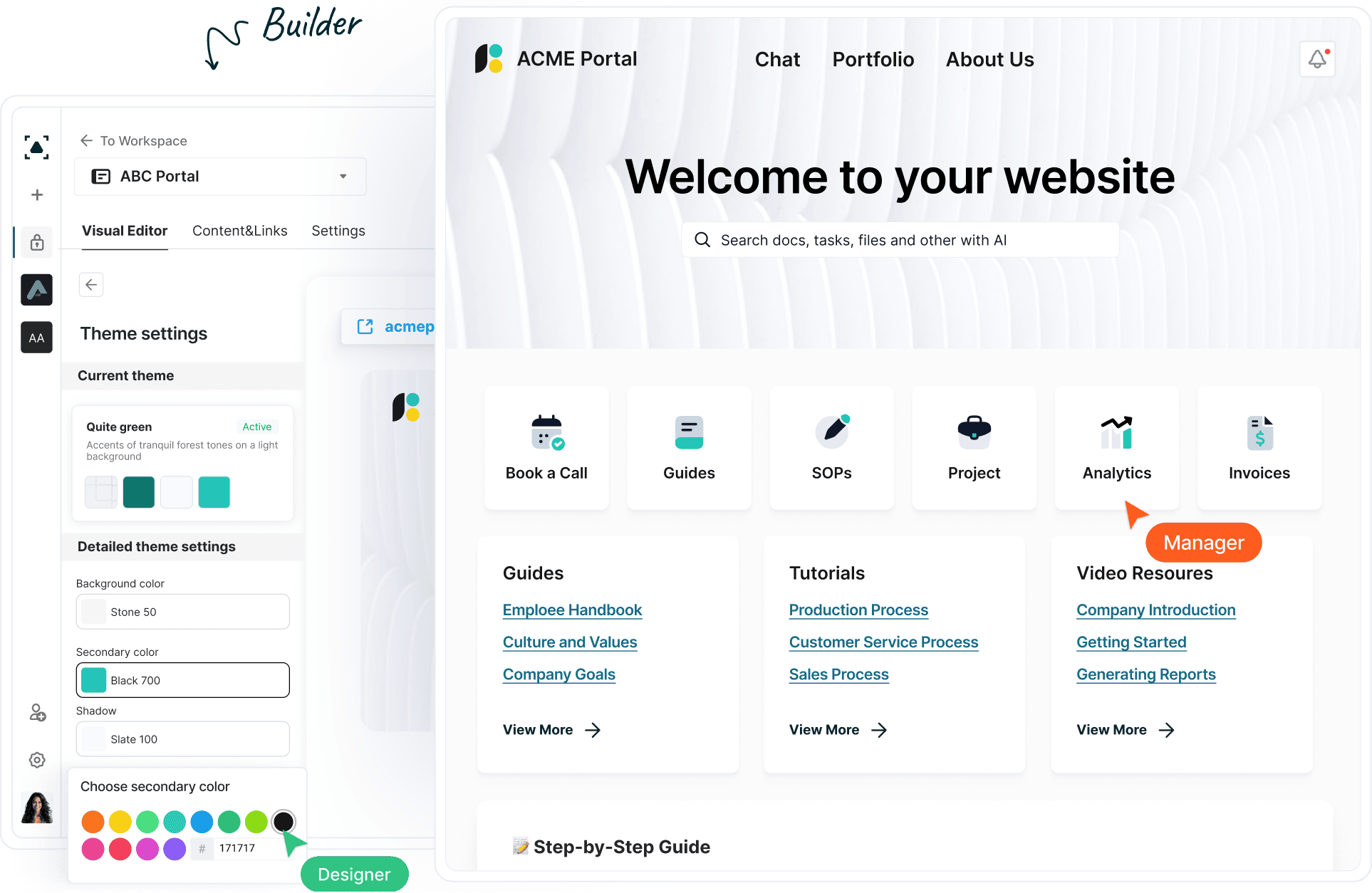
Credit: thefusebase.com
Key Features That Set Fusebase Apart
Fusebase stands out in the productivity space with features designed for users who need more than basic note-taking or project management. It targets those who value strong database management, smooth integrations, flexible customization, and teamwork efficiency. These capabilities make Fusebase a distinct choice compared to general platforms like Notion.
Advanced Database Management For Data-driven Users
Fusebase offers robust database tools that help users organize and analyze data effortlessly. It supports complex data structures and relationships, enabling better tracking and reporting.
- Custom tables with multiple field types
- Relational links between datasets
- Filtering and sorting options to find data quickly
- Data visualization through charts and graphs
These features suit users who need to handle large amounts of data with ease.
Integration Capabilities And Workflow Automation
Fusebase connects smoothly with popular apps to keep workflows efficient. Its automation features reduce manual tasks and improve productivity.
- Supports connections with tools like Google Workspace and Slack
- Triggers and actions to automate routine work
- API access for custom integrations
These options allow teams to build workflows that save time and reduce errors.
User Interface And Customization Options
Fusebase provides a clean and simple interface that users can tailor to their needs. Customization helps users work in a way that suits their style.
- Drag-and-drop layout adjustments
- Custom themes and color schemes
- Flexible page and database views
The intuitive design lowers the learning curve and keeps users focused.
Collaboration Tools Tailored For Team Productivity
Fusebase includes collaboration features that support team work with clear communication and task tracking.
- Real-time editing and commenting
- Task assignments with due dates
- Activity feeds to track changes and updates
- Permission controls for secure sharing
These tools help teams stay aligned and complete projects faster.
Unique Features Of Notion And Their Benefits
Notion stands out for its versatile and user-friendly features. These features create a seamless experience for managing notes, tasks, and data. Users can customize their workspace to fit personal or team needs. Notion’s unique tools boost productivity and organization in one platform.
All-in-one Workspace: Notes, Tasks, And Databases
Notion combines notes, tasks, and databases in a single workspace. This integration eliminates the need for multiple apps. Users can create and track tasks, write detailed notes, and organize data all in one place.
- Create rich notes with text, checklists, and code snippets.
- Manage tasks with due dates, reminders, and progress tracking.
- Build customizable databases for projects, contacts, or inventories.
This all-in-one approach saves time and keeps work organized.
Template Library And Flexibility For Personalization
Notion offers a vast template library for different uses. Templates cover areas like project management, personal goals, and study plans. Users can easily pick and start with a ready-made structure.
Templates are fully customizable. Users can:
- Add or remove sections.
- Change layouts and styles.
- Adapt pages to fit specific needs.
This flexibility helps users personalize their workspace without building from scratch.
Rich Media Embedding And Content Organization
Notion supports embedding various media types directly into pages. Users can insert images, videos, audio files, PDFs, and even web bookmarks. This makes content more engaging and easier to understand.
Content can be organized using:
- Drag-and-drop blocks.
- Toggle lists to hide or show details.
- Columns and tables for structured layouts.
This capability improves visual appeal and clarity in documents.
Community And Third-party Integrations
Notion has a large, active community sharing templates, tips, and tools. Users benefit from this collaborative environment for learning and inspiration.
It also connects with many third-party apps through integrations and API access. Popular integrations include:
| Integration | Purpose |
|---|---|
| Slack | Team communication |
| Google Drive | File storage and sharing |
| Zapier | Automation between apps |
These integrations extend Notion’s functionality and fit many workflows.
Pricing And Affordability Breakdown
Understanding the pricing structure of Fusebase and Notion is key for choosing the right productivity tool. Both platforms offer multiple plans, but their costs and features vary. This section breaks down their pricing tiers, free plan limits, and overall value for money.
Fusebase Pricing Tiers And Value Proposition
Fusebase offers clear pricing tiers aimed at different user needs. The plans focus on productivity enhancement with affordable options.
| Plan | Price | Key Features |
|---|---|---|
| Starter | Free | Basic project and task management, limited integrations |
| Pro | $9/month | Advanced collaboration, unlimited projects, priority support |
| Business | $20/month | Team management, custom workflows, enhanced security |
Fusebase balances cost with essential productivity features. Its pricing suits freelancers, small teams, and growing businesses.
Notion Pricing Plans And Free Tier Limitations
Notion presents a variety of plans with a popular free tier. The free tier limits the number of blocks and collaborators.
| Plan | Price | Key Features |
|---|---|---|
| Free | $0 | Up to 1,000 blocks, limited file uploads, limited collaborators |
| Personal Pro | $5/month | Unlimited blocks, unlimited file uploads, version history |
| Team | $10/user/month | Collaboration tools, admin tools, unlimited team members |
The free tier is useful for simple note-taking but limits larger projects and team work.
Cost-effectiveness Relative To Features Offered
Fusebase offers competitive pricing with features targeting productivity and team management.
- Pro plan unlocks advanced features at $9/month.
- Business plan supports custom workflows and security needs.
- Good for users wanting straightforward task management.
Notion’s pricing suits users needing flexible note-taking and knowledge management.
- Free plan limits can restrict larger projects.
- Personal Pro is affordable for individual power users.
- Team plan costs rise per user but add collaboration tools.
Value depends on user needs:
- Fusebase is cost-effective for project-driven teams.
- Notion fits users focused on detailed notes and databases.
- Both offer free tiers, but limitations differ significantly.
Pros And Cons Based On Real-world Usage
Choosing between Fusebase and Notion depends on practical needs. Both tools serve productivity but differ in features and user experience. Real users highlight unique strengths and face distinct challenges with each. Understanding these pros and cons helps find the right fit for your workflow.
Strengths Of Fusebase In Practical Scenarios
- Simple database management: Fusebase offers an easy way to create and manage databases.
- Fast data entry: Users report quick input and retrieval of information.
- Focused on productivity: Designed to keep tasks and data organized without clutter.
- Clean interface: The straightforward design helps users avoid distractions.
- Good for small teams: Collaboration features work well for small groups.
Fusebase suits users needing a clear, no-frills data tool. Its speed and simplicity stand out in daily use.
Common Limitations And Challenges With Fusebase
- Limited advanced features: Lacks complex project management tools found in bigger apps.
- Less customization: Fewer options to tailor workflows to unique needs.
- Not ideal for large teams: Collaboration tools can feel basic for bigger groups.
- Learning curve: Some users find it less intuitive initially.
- Integration limits: Does not connect with as many apps compared to competitors.
Fusebase may not fit users wanting in-depth project views or extensive third-party connections.
Advantages Of Using Notion In Various Contexts
- All-in-one workspace: Combines notes, tasks, databases, and calendars seamlessly.
- Highly customizable: Users build pages and workflows to match their style.
- Strong collaboration: Real-time editing and comments boost teamwork.
- Wide integrations: Connects with many tools for enhanced productivity.
- Rich content support: Embed files, videos, and code snippets easily.
Notion works well for users needing flexibility and complex project handling across teams.
Drawbacks And User Frustrations With Notion
- Performance issues: Can be slow with large or complex workspaces.
- Steep learning curve: New users may struggle with its many features.
- Overwhelming options: Customization can confuse users seeking simplicity.
- Offline limitations: Functionality reduces without internet access.
- Costly for teams: Pricing grows with more users and advanced features.
Users wanting quick setup or offline use may find Notion less practical at times.

Credit: www.youtube.com
Ideal Users And Use Cases For Fusebase And Notion
Choosing the right productivity tool depends on user needs and task types. Fusebase and Notion serve distinct audiences with unique features. Understanding their ideal users helps decide which fits best in various scenarios.
Who Should Choose Fusebase: Specific User Profiles And Scenarios
Fusebase suits users focused on structured data and database-driven workflows. It works well for those needing strong data management combined with productivity features.
- Data-heavy projects: Users managing large datasets or complex records.
- Small to medium teams: Teams needing organized, easy-to-access databases.
- Startups and businesses: Those requiring cost-effective, scalable tools for project tracking.
- Users seeking automation: Individuals wanting AI-powered features for data handling.
Fusebase streamlines data collection and team collaboration with a simple interface.
Who Benefits Most From Notion: User Types And Situations
Notion appeals to users needing flexible note-taking and knowledge management. It excels in organizing ideas, documents, and workflows in one place.
- Creatives and writers: Those managing content, ideas, and research.
- Project managers: Users requiring customizable task boards and timelines.
- Teams focused on collaboration: Groups sharing notes, wikis, and project plans.
- Individuals organizing personal and professional life: People wanting a single tool for multiple uses.
Notion’s flexible pages and templates support diverse workflows and team sizes.
Comparative Analysis: When To Prefer One Over The Other
| Criteria | Fusebase | Notion |
|---|---|---|
| Primary Strength | Database management and structured data | Note-taking and knowledge management |
| Best For | Data-driven projects and startups | Flexible project planning and documentation |
| Team Collaboration | Good for teams needing data clarity | Excellent for collaborative content creation |
| Ease of Use | Simple for data entry and automation | Intuitive for multi-purpose workflows |
| Automation | AI-powered features for data tasks | Limited built-in automation |
| Customization | Focused on database templates | Highly customizable pages and templates |
Choose Fusebase for structured data needs and automation. Pick Notion for flexible content organization and teamwork.
Final Verdict: Which Tool Boosts Productivity Better?
Choosing between Fusebase and Notion depends on how you want to boost your productivity. Both tools offer unique features for managing tasks, notes, and data. Fusebase focuses on streamlining workflows with easy database functions. Notion provides flexible project management and note-taking in one place. Understanding their differences helps pick the right fit for your needs.
Summary Of Key Differences And User Impact
| Feature | Fusebase | Notion |
|---|---|---|
| Primary Focus | Database and workflow automation | Project management and note-taking |
| User Interface | Simple, data-driven layout | Flexible, block-based editor |
| Collaboration | Basic team features | Robust sharing and real-time collaboration |
| Customization | Preset templates for data tasks | Highly customizable pages and databases |
| Learning Curve | Easy for database users | Requires time for mastering blocks |
User impact: Fusebase suits users needing quick database setups. Notion fits teams wanting flexible project and knowledge management.
Recommendations Based On Productivity Goals
- For data-focused workflows: Choose Fusebase for simple automation and database handling.
- For project management: Notion offers better tools for task tracking and team workspaces.
- For note-taking and knowledge bases: Notion’s linked pages and rich media support excel.
- For fast onboarding: Fusebase’s straightforward design helps new users start quickly.
- For flexible customization: Notion allows detailed layout changes and integrations.
Future Outlook And Updates To Watch For
Fusebase continues improving its database automation and user interface simplicity. Watch for updates that add team collaboration features and AI-powered workflows.
Notion focuses on expanding its project management tools and enhancing real-time collaboration. New templates and integrations aim to increase productivity.
Both tools evolve to meet user demands. Choosing depends on which updates better match your work style.

Credit: thefusebase.com
Frequently Asked Questions
Which Is Better Than Notion?
ClickUp and Asana excel in project management, while Obsidian and Slite suit knowledge management better. Airtable and Coda offer superior database features. Anytype provides enhanced privacy. The best alternative depends on your specific needs and priorities.
Is Notion A Russian Company?
Notion is a U. S. -based company headquartered in Austin, Texas. It is not a Russian company. Notion suspended its service in Russia due to U. S. government sanctions.
Why Did I Stop Using Notion?
I stopped using Notion due to its complexity and steep learning curve for simple tasks. Privacy concerns and limited offline access also influenced my decision.
Is Notion Overkill For Personal Use?
Notion offers powerful features that may feel complex for simple personal use. It suits users who want all-in-one organization and customization.
Conclusion
Choosing between Fusebase and Notion depends on your needs. Fusebase offers simple productivity tools that are easy to use. Notion provides a wide range of features but can feel complex. Think about your project size and team before deciding. Both tools help organize work and ideas effectively.
Try each one to see which fits your style best. Your workflow and preferences matter most in this choice.