
Struggling to keep your appointments organized without breaking the bank? If you’re a solopreneur, freelancer, or run a small team, this Tidycal review shows why you need a scheduling tool that’s simple, effective, and budget-friendly.
That’s where TidyCal steps in. Imagine having a straightforward calendar app that lets you book meetings effortlessly, syncs with your favorite tools, and best of all—comes with a one-time payment instead of a monthly subscription. Curious if TidyCal can really make your scheduling hassle disappear?
Keep reading to find out how this affordable alternative stacks up against bigger names and whether it’s the right fit for your workflow.
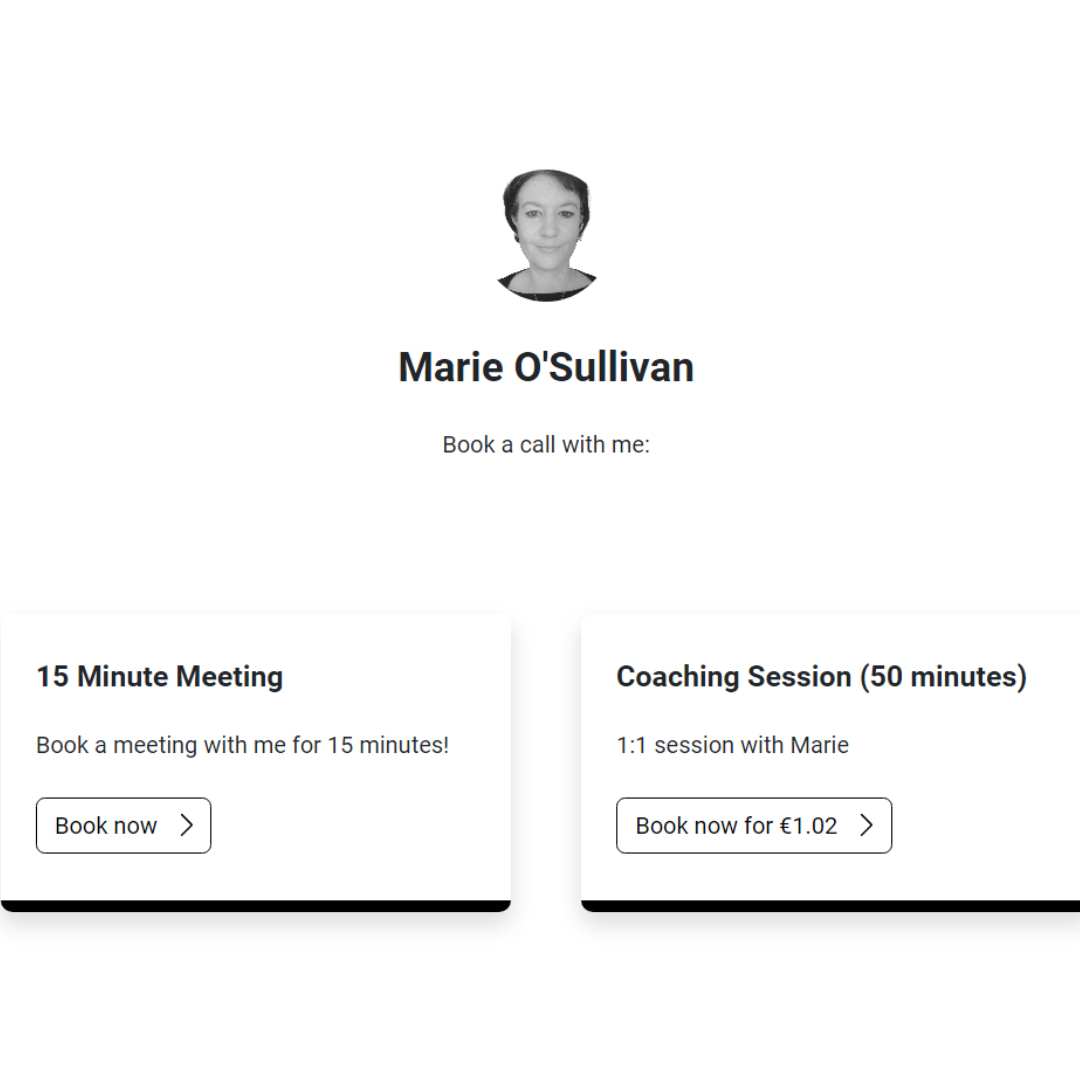
Credit: themarieosullivan.com
Introduction To Tidycal: The Ultimate Scheduling Tool For Busy Professionals
TidyCal offers a simple and affordable way to manage appointments. It helps busy professionals save time and avoid scheduling conflicts. With its user-friendly design, TidyCal fits perfectly for solopreneurs and small teams. This section explains what makes TidyCal a top choice for scheduling needs.
Overview Of Tidycal And Its Purpose
TidyCal is a calendar scheduling tool designed for ease and efficiency. It targets individuals and small businesses seeking a straightforward way to book meetings. The tool’s main goal is to simplify appointment setting without complex features. Users get a clean interface and essential functions to handle their calendars.
- One-time payment for lifetime access
- Easy setup and use
- Focused on essential scheduling needs
TidyCal removes the hassle of back-and-forth emails and manual booking. It allows users to share their availability and let clients pick a time that works best.
Why Scheduling Tools Matter For Busy Professionals
Busy professionals juggle many tasks daily. Scheduling tools save time by automating appointment bookings. They reduce errors and double-bookings. Clear scheduling improves client communication and professionalism.
Benefits include:
- Fewer missed or forgotten meetings
- Better time management
- More focus on important work
Using a scheduling tool like TidyCal keeps calendars organized and accessible. It helps maintain a smooth workflow without interruptions.
How Tidycal Stands Out In The Market
TidyCal offers a budget-friendly alternative to complex scheduling platforms. Unlike others, it uses a one-time payment model rather than monthly fees. This suits freelancers and small teams with limited budgets.
| Feature | Calendly | TidyCal |
|---|---|---|
| Pricing | Monthly subscription | One-time lifetime payment |
| Best For | Larger teams needing advanced features | Solopreneurs and small teams |
| Complexity | More features, steeper learning curve | Simple and easy to use |
TidyCal focuses on core scheduling functions. It avoids overwhelming users with unnecessary options. This makes it quick to learn and reliable for daily use.

Credit: leydesignstudio.com
Key Features Of Tidycal And Their Benefits
TidyCal offers essential scheduling tools designed for simplicity and efficiency. Its features focus on making appointment booking smooth for individuals and small businesses. Each feature adds real value by saving time and reducing hassle.
User-friendly Interface: Simplifying Scheduling For Everyone
TidyCal has a clean and easy-to-navigate interface. Users spend less time figuring out how to schedule appointments. This makes it ideal for those with little technical experience.
- Clear dashboard for quick access
- Simple booking flow for clients
- Minimal clicks to confirm appointments
One-time Payment Model: Affordability Without Recurring Fees
TidyCal offers a lifetime deal with a single payment. No monthly or yearly fees. This helps freelancers and small teams manage costs effectively.
| Payment Model | Benefit |
|---|---|
| One-Time Payment | Budget-friendly, no recurring charges |
Customizable Booking Pages: Personalizing The Scheduling Experience
Users can tailor booking pages to fit their brand. This builds trust and creates a professional look.
- Add custom logos and colors
- Set personalized questions for clients
- Control time slots and availability
Calendar Integrations: Seamless Sync With Major Calendar Platforms
TidyCal syncs with popular calendars like Google Calendar. This avoids double bookings and keeps schedules updated in real time.
- Automatic event updates
- Supports multiple calendar accounts
- Prevents scheduling conflicts
Video Conferencing Integrations: Effortless Meeting Setup
Connects with Zoom, Google Meet, and others. Meetings start automatically with links included in invites.
- Automatic video link generation
- Reduces setup time
- Improves client convenience
Basic Automation: Streamlining Appointment Management
Simple automation features save time on managing bookings. Users receive notifications and reminders without manual effort.
- Email confirmations sent automatically
- Client reminders reduce no-shows
- Easy rescheduling options
Pricing And Affordability Breakdown
TidyCal stands out with its simple and budget-friendly pricing. It suits solopreneurs, freelancers, and small teams who want a reliable scheduling tool without high costs. This section explores what makes TidyCal’s pricing unique, compares it with competitors like Calendly, and highlights its value for small businesses.
One-time Payment Vs Subscription Models: What Makes Tidycal Unique
TidyCal offers a one-time payment option that grants lifetime access. This differs from most scheduling tools that require monthly or yearly subscriptions.
- One-time payment: Pay once and use forever.
- No recurring fees: Save money over time.
- Simple pricing: Avoid confusing plans or hidden charges.
This model suits users who prefer to avoid ongoing payments. It also provides peace of mind with no surprises on the bill.
Cost Comparison With Competitors Like Calendly
| Feature | Calendly | TidyCal |
|---|---|---|
| Pricing Model | Subscription (Monthly/Annual) | One-time Payment (Lifetime Access) |
| Best For | Larger teams needing advanced features and integrations | Solopreneurs, freelancers, small teams on a budget |
| Complexity | Steeper learning curve due to many features | Straightforward and easy to use |
| Pricing Cost | Starts around $8-$15/month | Single payment, often under $50 (varies by deal) |
TidyCal is more affordable for users who want basic scheduling features. Calendly suits those needing advanced automation and analytics.
Value For Solopreneurs, Freelancers, And Small Teams
TidyCal delivers strong value to small business owners and independent professionals.
- Cost-effective: One payment covers all future use.
- Easy to use: Simple setup and scheduling.
- Focus on essentials: No overwhelming features or options.
- Ideal for small scale: Fits businesses with basic calendar needs.
This pricing structure makes TidyCal a practical choice. It supports growth without extra expenses or complex plans.

Pros And Cons Of Using Tidycal Based On Real-world Usage
TidyCal offers a simple and affordable way to manage calendar scheduling. Real users appreciate its straightforward design and low cost. Yet, it has some limits in features and integrations. This section reviews the advantages and drawbacks based on real-world experiences.
Advantages: Simplicity, Cost-effectiveness, And Ease Of Use
TidyCal shines in its simplicity. Users find it easy to set up and navigate without confusion. Its clean interface helps avoid the steep learning curve common in complex tools.
- Simple setup: No technical skills needed to start scheduling.
- Clear interface: Minimal clutter, making calendar management smooth.
Cost is another strong point. TidyCal offers a one-time payment lifetime deal, making it budget-friendly for solopreneurs and small teams.
- Affordable: No monthly fees or hidden charges.
- Value for money: Strong features without breaking the bank.
Ease of use is key. Users can quickly create and share booking links. This saves time and reduces scheduling conflicts.
Limitations: Fewer Advanced Features And Integrations
TidyCal lacks some advanced features found in bigger tools like Calendly. It does not offer deep automation, detailed analytics, or wide third-party app integrations.
| Feature | TidyCal | Competitor (e.g., Calendly) |
|---|---|---|
| Advanced Automation | No | Yes |
| Detailed Analytics | Limited | Extensive |
| Third-Party Integrations | Few | Many |
This makes TidyCal less suitable for larger teams needing complex workflows. Users may find it limiting if they require custom workflows or integrations with other apps.
User Feedback And Common Use Case Experiences
Users often praise TidyCal for meeting basic scheduling needs. Freelancers and small businesses report saving time with easy booking links.
- Solopreneurs: Appreciate the low cost and simplicity.
- Small teams: Use it for straightforward meeting scheduling.
- Budget-conscious users: Choose it to avoid recurring fees.
Some users mention missing advanced features but accept trade-offs due to simplicity. Common use cases include client calls, interviews, and quick team meetings.
User feedback shows TidyCal fits those who want a no-frills, reliable scheduling tool. It is less suitable for users needing deep customization or automation.
Ideal Users And Scenarios For Tidycal
TidyCal suits users who want simple, cost-effective scheduling tools. It fits those who prioritize ease and affordability over complex features. This section highlights who benefits most from TidyCal and when it stands out compared to other tools.
Solopreneurs And Freelancers Seeking Budget-friendly Solutions
Solopreneurs and freelancers often juggle many tasks. They need a scheduling tool that saves time without high costs. TidyCal offers a one-time payment option, which means no recurring fees.
- Easy to set up and use
- Affordable lifetime deal
- Supports basic scheduling needs
- Reduces back-and-forth emails
This makes TidyCal ideal for solo workers on a budget who want to focus more on their work and less on managing appointments.
Small Businesses Needing Straightforward Scheduling
Small teams often seek tools that are clear and effective. TidyCal provides a straightforward interface that avoids overwhelming features. It helps small businesses handle scheduling without extra complexity.
| Feature | Benefit for Small Businesses |
|---|---|
| Multiple Calendar Support | Manage team members’ schedules in one place |
| Custom Booking Pages | Professional look with simple customization |
| Time Zone Detection | Prevents scheduling errors across regions |
| Integrations | Connects with basic calendar apps for syncing |
TidyCal helps small businesses stay organized without steep learning curves or high subscription costs.
When To Choose Tidycal Over More Feature-rich Alternatives
Choose TidyCal if simplicity and budget are top priorities. It works well when advanced features are not necessary.
- You need a quick setup with no technical hassle
- You want to avoid monthly fees with a one-time payment
- Your scheduling needs are basic, without complex automation
- You value a clean, user-friendly interface
For larger teams or those needing deep integrations and analytics, alternatives like Calendly may be better. TidyCal fits best when straightforward scheduling is enough.
Best Practices To Maximize Tidycal’s Potential
Use these tips to get the most from TidyCal:
- Set clear booking rules to avoid confusion and double bookings.
- Customize booking pages with your branding for professionalism.
- Sync calendars to keep all appointments updated in one place.
- Use time zone detection to manage clients from different regions easily.
- Communicate confirmation and reminder emails to reduce no-shows.
Following these practices ensures smooth scheduling and better client experiences.
Conclusion: Is Tidycal The Right Scheduling Tool For You?
TidyCal offers a simple and affordable way to manage appointments. It fits well for individuals and small teams who want straightforward scheduling without extra complications. This section helps decide if TidyCal matches your needs.
Summarizing Tidycal’s Strengths And Weaknesses
| Strengths | Weaknesses |
|---|---|
|
|
Final Recommendations Based On User Needs
Choose TidyCal if you:
- Run a small business or freelance solo
- Want a simple, budget-friendly tool
- Need to set up meetings quickly without complex setup
- Prefer a one-time payment over subscriptions
- Do not require deep integrations or heavy automation
Consider other tools if you:
- Manage a large team or enterprise
- Require advanced features like analytics and workflows
- Need extensive app integrations
- Want detailed customization of scheduling pages
Next Steps: How To Get Started With Tidycal
- Visit the official site: TidyCal on AppSumo
- Create an account with your email
- Set your available times and preferences
- Share your booking link with clients or team members
- Start managing appointments effortlessly
Testing the free trial or demo helps explore TidyCal’s interface. This step confirms if it fits your scheduling style before purchase.
Frequently Asked Questions
Is Tidycal Better Than Calendly?
TidyCal offers a simple, affordable scheduling solution with a one-time payment. Calendly suits larger teams needing advanced features and integrations. Choose TidyCal for budget-friendly ease; select Calendly for scalability and robust customization.
How Does Tidycal Work?
TidyCal simplifies scheduling by letting users create booking pages linked to calendars. It syncs availability and automates appointment bookings efficiently.
How Much Does Tidycal Cost?
TidyCal costs a one-time payment of $29 for lifetime access. It offers an affordable, simple scheduling solution without recurring fees.
Who Owns Tidycal?
TidyCal is owned by AppSumo, a company based in Austin, Texas. They focus on affordable, user-friendly software tools.
Conclusion
TidyCal offers a simple and affordable way to manage your schedule. It works well for small teams and solo users. The one-time payment option makes it budget-friendly. Though it lacks some advanced features, it covers the basics effectively. Easy setup and clear interface save time and stress.
For those needing a straightforward tool without extra costs, TidyCal fits nicely. Scheduling becomes less complicated, helping you focus on what matters most. Give it a try to see if it matches your needs.
Related Article: TidyCal Scheduling Tool