
If you want to deliver top-notch customer support without the usual hassle, ThriveDesk could be exactly what you need. With powerful ThriveDesk features, you can keep all your customer messages, emails, live chats, and support tickets neatly organized in one place, powered by smart AI tools that help you respond faster and smarter.
With features such as automated workflows, AI chatbots, private notes, and real-time collaboration, ThriveDesk makes managing customer service simpler and more efficient. Curious to see how these features can transform your support team’s productivity and your customers’ satisfaction? Keep reading to discover everything ThriveDesk offers and why it might be your next secret weapon.
Credit: www.thrivedesk.com
Introduction To Thrivedesk And Its Purpose
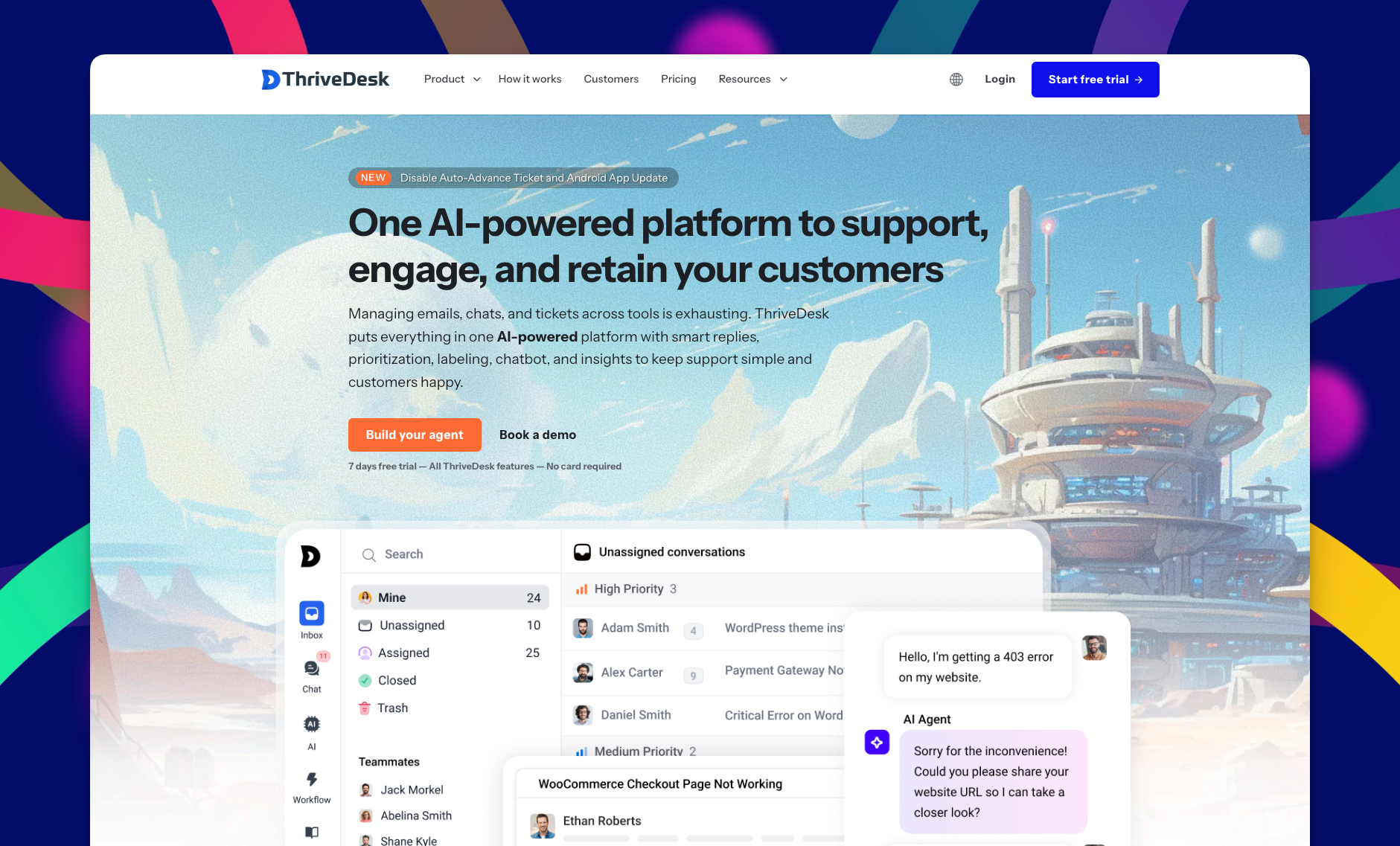
ThriveDesk is a customer support platform designed to simplify how businesses manage client interactions. It combines multiple support channels into one system. This helps teams respond quickly and keep customers happy.
The platform focuses on efficiency and automation. It uses AI-powered tools to reduce workload and speed up replies. ThriveDesk aims to create smooth communication between businesses and their customers.
Overview Of Thrivedesk As A Customer Support Platform
ThriveDesk offers a unified inbox for all customer messages. It merges emails, live chats, and support tickets in one place. This setup helps support teams avoid missing or losing messages.
- Ticket Management: Organize and track customer requests easily.
- Live Chat & Chatbot: Engage visitors instantly and provide 24/7 help.
- Workflow Automation: Automate repetitive tasks and assign tickets automatically.
- Private Notes: Allow team members to share internal comments on tickets.
- Advanced Formatting: Create professional responses with rich text tools.
These features reduce response times and improve customer satisfaction.
How Thrivedesk Supports Business Growth
ThriveDesk helps businesses scale support without adding staff. Its AI agent answers common questions instantly. This lets human agents focus on complex issues.
Automated notifications keep teams updated on ticket status. Reports provide insights into team performance and customer trends. These data points help improve support quality over time.
By streamlining support, ThriveDesk frees up resources for business development and sales.
The Importance Of Integrated Customer Support Tools
Using separate tools for emails, chats, and tickets wastes time. ThriveDesk integrates these channels into one system. This reduces confusion and errors.
| Benefit | Explanation |
|---|---|
| Unified Communication | All customer messages appear in a single inbox for easy management. |
| Faster Response | Automation and AI help answer queries quickly. |
| Team Collaboration | Private notes and ticket assignments improve coordination. |
| Consistent Support | Integrated tools ensure no messages get lost or delayed. |
Integrated tools like ThriveDesk help businesses provide reliable, timely support.
Key Features That Make Thrivedesk Unique
ThriveDesk offers a powerful set of features designed to simplify customer support. It combines multiple tools into one easy platform. This helps teams handle requests faster and with less effort. The features focus on improving communication, speeding up responses, and providing clear insights. Each tool works together to create a smooth support experience.
Unified Shared Inbox: Simplifying Multi-channel Support
ThriveDesk gathers messages from email, chat, and social media into one inbox. This unified shared inbox lets teams view and reply to all customer requests in a single place. It removes the need to switch between apps.
- Supports multiple channels seamlessly
- Reduces response time
- Ensures no customer message is missed
Ai-powered Helpdesk: Enhancing Response Efficiency And Accuracy
The built-in AI helpdesk assists support agents by suggesting quick, accurate replies. It learns from past interactions to improve over time.
- Auto-suggests answers to common questions
- Reduces manual typing and errors
- Speeds up ticket resolution
Live Chat And Chatbot Integration: Real-time Customer Engagement
ThriveDesk includes live chat tools that connect support agents and customers instantly. The chatbot handles initial questions to provide 24/7 assistance.
- Engages customers immediately
- Filters simple queries for the chatbot
- Transfers complex issues to human agents
Workflow Automation: Streamlining Support Processes
Automation rules in ThriveDesk help manage repetitive tasks. This frees agents to focus on more complex support cases.
- Automatically assigns tickets based on criteria
- Sends follow-up emails without manual work
- Triggers status updates and reminders
Ticket Management And Assignments: Organized And Efficient Case Handling
ThriveDesk offers clear ticket tracking and assignment features. Teams can easily organize cases and share workload.
- Assign tickets to specific agents or teams
- Track ticket status and priorities
- Prevent duplicate responses
Private Notes And Collaboration Tools: Improving Team Communication
Agents can add private notes inside tickets for team collaboration. This keeps communication clear without exposing details to customers.
- Share context and updates internally
- Discuss complex cases privately
- Improve teamwork and knowledge sharing
Advanced Reporting And Dashboards: Data-driven Support Insights
ThriveDesk provides detailed reports and dashboards. These show performance metrics and customer trends to guide improvements.
| Report Type | Purpose |
|---|---|
| Ticket Volume | Track the number of tickets over time |
| Response Time | Measure how quickly agents reply |
| Customer Satisfaction | Analyze feedback scores |
Notifications And Alerts: Staying Proactive With Customer Requests
Instant notifications and alerts keep support teams updated on new tickets and messages. This prevents delays in response.
- Real-time alerts on new requests
- Customizable notification settings
- Ensures timely customer support
Customizable Email Features: Auto Replies, Forwarding, And Formatting
ThriveDesk’s email tools let teams customize replies and manage emails efficiently.
- Set up automatic replies for common queries
- Auto-forward emails to the right agent or team
- Use advanced formatting for clear, professional emails
Pricing And Affordability Breakdown
The pricing structure of ThriveDesk is designed for clarity and value. It aims to suit businesses seeking efficient AI-powered customer support without high costs. Understanding the plans helps businesses pick what fits their needs and budget.
Overview Of Thrivedesk Pricing Plans
ThriveDesk offers a straightforward pricing model with a focus on essential features. The main plan is priced at $69 per month. This plan includes:
- Access to AI helpdesk tools
- Live chat and chatbot integration
- Workflow automation
- Ticket management and email support
- Reporting and notifications
This single plan covers all core features, avoiding confusion over tiered limits or add-ons.
Value Proposition Compared To Competitors
Compared to other AI helpdesk platforms, ThriveDesk offers comprehensive tools at a competitive price. Many competitors charge extra for live chat or automation. ThriveDesk bundles these essential features into one price.
It supports unlimited conversations and users, which is rare at this price point. This makes ThriveDesk a practical choice for businesses wanting to optimize support without overspending.
Cost-Effectiveness for Small To Medium Businesses
Small and medium businesses benefit from ThriveDesk’s affordability. At $69 monthly, they gain access to powerful AI support tools. This reduces the need for large support teams.
Businesses can improve customer satisfaction and response time while keeping costs low. ThriveDesk’s all-in-one platform simplifies management, saving time and money.
| Feature | Benefit for SMBs |
|---|---|
| AI Helpdesk | Handles common queries automatically |
| Live Chat & Chatbot | Offers instant customer interaction |
| Workflow Automation | Saves manual work and errors |
| Reporting Tools | Monitors performance and improves service |
ThriveDesk’s pricing offers a strong balance between functionality and cost. It suits businesses aiming to enhance support without complex pricing plans.
Credit: www.wpallimport.com
Pros And Cons Of Thrivedesk Based On Real-world Usage
ThriveDesk offers a mix of strengths and weaknesses seen in everyday use. Users enjoy its simplicity and smart AI tools. Yet, some feature gaps and a learning curve affect experience. Below is a clear look at what works well and what can improve.
Strengths: User-friendly Interface And Powerful Ai Integration
ThriveDesk stands out for its clean, easy-to-navigate interface. Users can quickly manage customer conversations across multiple channels.
- Unified inbox for emails, live chat, and tickets
- Advanced formatting and collapsible threads simplify reading
- Private notes and auto BCC add organization
The AI integration enhances support efficiency:
- AI agents answer instantly to reduce wait times
- Automations handle routine tasks like ticket assignments
- Smart notifications keep teams updated
Areas For Improvement: Feature Limitations And Learning Curve
Despite its strengths, ThriveDesk has areas needing attention.
| Issue | Description |
|---|---|
| Feature Limitations | Some advanced helpdesk functions are missing compared to competitors. |
| Learning Curve | New users may take time to master the workflow automation setup. |
Users report the need for better customization options and deeper reporting tools.
Customer Feedback Highlights And Common User Experiences
Real users share these common thoughts:
- Positive: Fast and responsive support with minimal hassle.
- Mixed: AI helps but sometimes misses complex queries.
- Negative: Initial setup can feel overwhelming without guidance.
Overall, ThriveDesk suits small to medium teams wanting simple AI-powered helpdesk tools.
Specific Recommendations For Ideal Users And Scenarios
ThriveDesk offers a versatile set of features designed to fit various business needs. Understanding which users benefit most helps maximize its value. The platform works well across different industries and team sizes. Here are tailored recommendations for ideal users and scenarios.
Best Fit For E-commerce Businesses And WooCommerce Integration
E-commerce businesses benefit greatly from ThriveDesk due to its seamless WooCommerce integration. This feature allows easy management of customer orders and queries in one place.
- Track orders and customer history directly within support tickets
- Use live chat to answer product questions instantly
- Automate responses for common issues like shipping or returns
- Consolidate emails and chats for faster resolution
These capabilities reduce response times and improve customer satisfaction, making ThriveDesk ideal for online stores.
Suitability For Growing Teams Needing Collaboration Tools
Teams expanding in size need tools to work together efficiently. ThriveDesk supports collaboration with features like:
| Feature | Benefit |
|---|---|
| Private Notes | Allows internal communication on tickets without customers seeing |
| Ticket Assignments | Distributes workload evenly among team members |
| Shared Inbox | Centralizes all customer messages for easy access |
| Activity Reporting | Monitors team performance and ticket status |
These collaboration tools help growing teams stay organized and responsive.
How Startups Can Leverage Thrivedesk For Scalable Support
Startups need support solutions that grow with them. ThriveDesk offers:
- Easy setup to start handling customer queries quickly
- Automation features to reduce manual workload
- AI-powered responses to answer common questions fast
- Flexible plans that scale as the startup expands
Startups can manage increasing support demands without adding overhead or complexity.
Recommendations For Businesses Prioritizing Automation And Ai
Businesses focusing on automation find ThriveDesk’s AI capabilities valuable. Key features include:
- AI Agent: Instantly answers routine questions
- Workflow Automation: Triggers actions like ticket assignment or follow-ups
- Auto Reply and Auto BCC: Saves time on email management
- Chatbots: Engage visitors 24/7 without human agents
These AI-driven tools reduce response times and improve customer experience with less manual effort.
Credit: www.wpallimport.com
Frequently Asked Questions
What Key Features Does Thrivedesk Offer For Support Teams?
ThriveDesk provides shared inboxes, live chat, an AI chatbot, and workflow automation. It centralizes customer conversations for efficient handling and quick responses. Team collaboration tools and reporting dashboards enhance productivity and decision-making.
How Does Thrivedesk Improve Customer Communication?
ThriveDesk unifies emails, live chats, and support tickets in one platform. It offers auto-replies, private notes, and canned responses for faster, personalized communication. The AI agent helps answer common questions instantly.
Can Thrivedesk Integrate With Other Business Tools?
Yes, ThriveDesk supports seamless integration with popular platforms like WooCommerce and email services. This ensures smooth workflow automation and consistent customer support across channels.
Is Workflow Automation Available In Thrivedesk?
ThriveDesk includes workflow automation features such as automated routing, tagging, and assignment of tickets. These automate repetitive tasks, helping teams focus on resolving customer issues faster.
Conclusion
ThriveDesk offers many useful features for easy customer support. It combines live chat, email tickets, and automation in one place. Teams can work together smoothly using shared inboxes and task assignments. The AI chatbot helps answer questions fast and reduces workload.
Reporting tools give clear insight into support performance. Notifications keep everyone updated on important issues. Overall, ThriveDesk simplifies managing customer conversations and saves time. It fits well for businesses wanting better, faster support without complexity. Try it to see how it improves your customer service process.
Relate Articles: Thrivedesk Benefits| Thrivedesk For Small Business| Thrivedesk Lifetime Review| Thrivedesk Lifetime Deal|